For real estate drone photographers and editors
Put the neighbourhood
on the listing photo.
Type the address, and Pinloc finds the schools, beaches, shops and parks nearby. Drag them onto your drone shot, match the agency's colours, and export a publish-ready image in minutes.
Free plan, no card needed.

Three steps from shoot to listing.
No map exports, no Photoshop layers. Pinloc does the looking up so you can do the placing.
- 1
Upload the drone shot
Drop in the aerial photo straight from the shoot. Any size — the export keeps full resolution.
- 2
Type the address
Pick the property from the search. Pinloc finds the schools, beaches, parks, shops and hospitals nearby, with distances.
- 3
Drag labels onto the photo
Drop each place where it sits in the shot, set the leader lines and the agency's colours, then export or share.
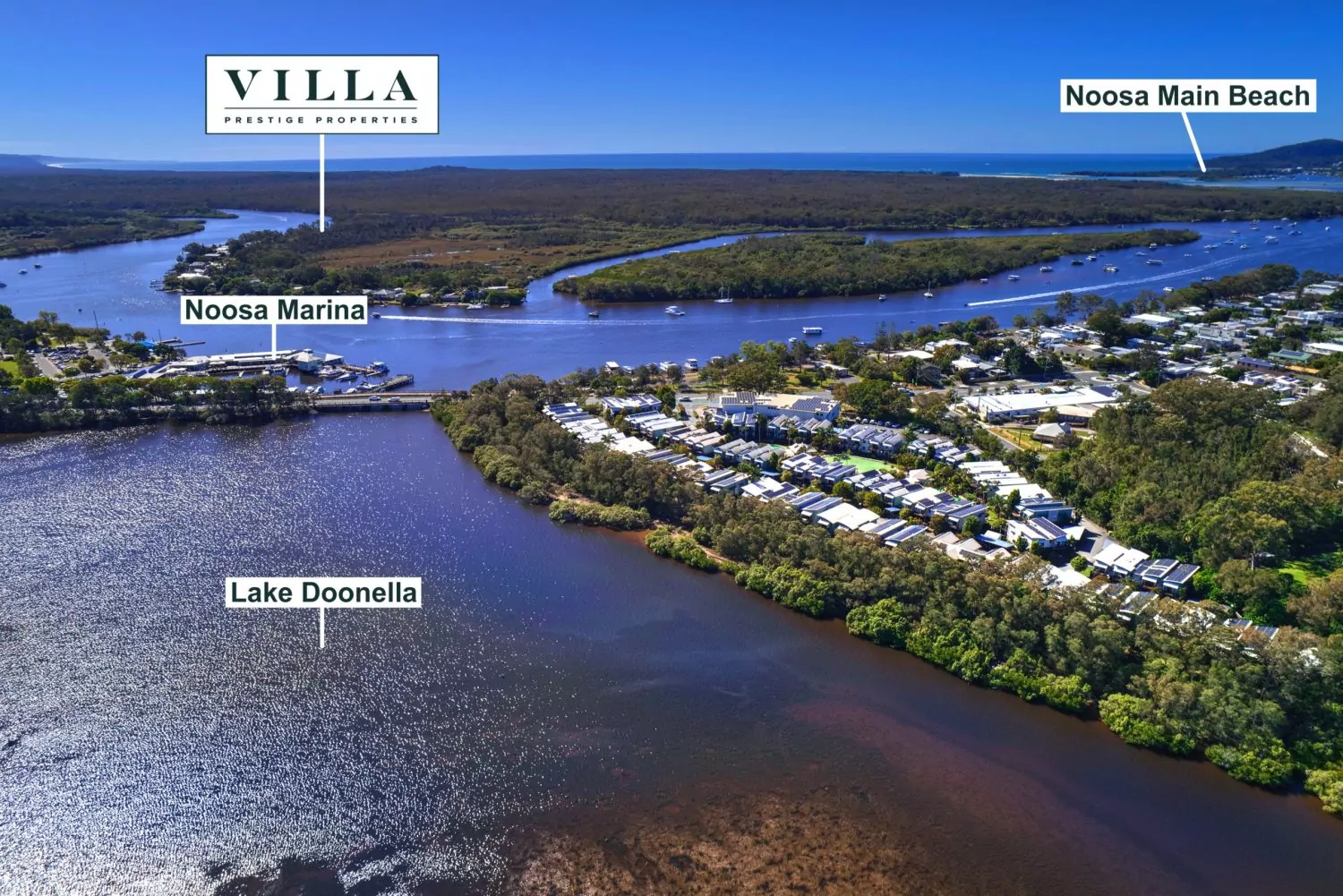
Real drone shots, labelled in Pinloc.
Coastal, suburban or a brand-new estate. The labels sit on the photo itself, styled to the agency, and export at full resolution.


Everything a listing photo needs.
Built with a working real estate photographer, around how listing media actually gets made and delivered.
Nearby places, found for you
Schools, beaches, parks, hospitals, shops and stations around the address, sorted by distance.
Drag, drop, done
Place labels right on the image with adjustable leader lines. Rename any label inline.
Agency colours
Switch between agency templates or set custom box and text colours so every photo is on brand.
Manual pins
New estate or school not on the map yet? Drop a pin anywhere and name it yourself.
Quick photo enhance
Brightness, contrast, saturation and warmth, plus presets for flat drone footage.
Share links for agents
Send a clean view-and-download link. See when it's opened, extend it, or revoke it.
Saved listings
Every project stays editable. Reopen it to adjust labels for a re-list or price change.
Full-resolution export
The PNG matches the editor exactly, ready for the portals and print.
Send it straight to the agent.
Every finished photo gets a private link. The agent opens it, sees the labelled image and downloads it. No account, no email attachments, no “can you resend that?”
- See when the link has been opened
- Set an expiry, extend it, or revoke it any time
- Full-resolution download, exactly as you exported it
Start free. Upgrade when you're busy.
Plans are month to month. Change or cancel any time.
Starter
Most popular- Up to 50 saved listings
- Everything in Free
- Agency colour templates
Questions
Something else? Send us a message and we'll reply within one business day.
Who is Pinloc for?
Drone pilots, real estate photographers and editors who deliver listing images to agents, and agencies who do their own media.
Do I need GPS data in the photo?
No. You type the property address and Pinloc looks up the area from that, so it works with any photo.
What if a landmark is missing or brand new?
Add a custom label or drop a manual pin with your own name. You're never stuck waiting for the map to catch up.
Can the agent download the image themselves?
Yes. A share link opens a clean page with a download button, and the agent doesn't need an account.
Can I cancel any time?
Yes. Paid plans are month to month and you can change or cancel from the billing page inside the app.